


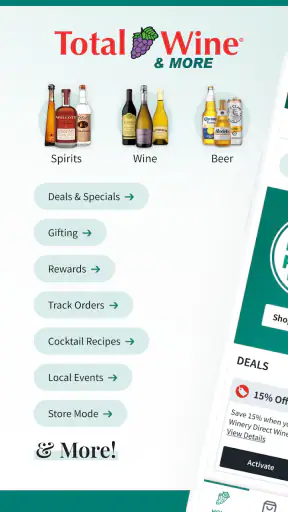
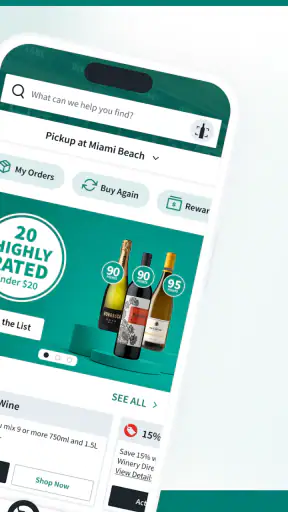
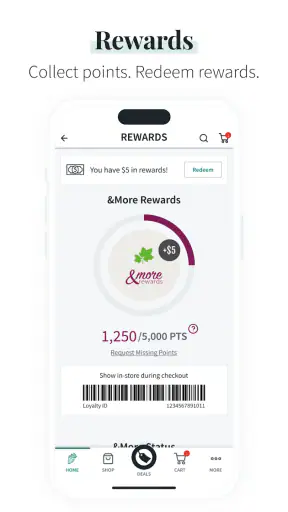
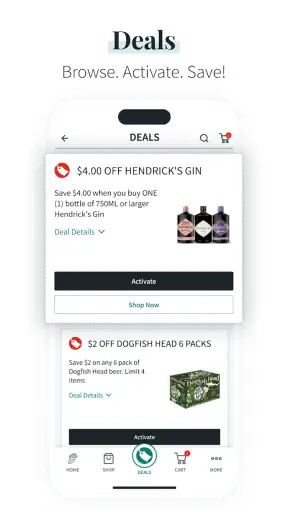
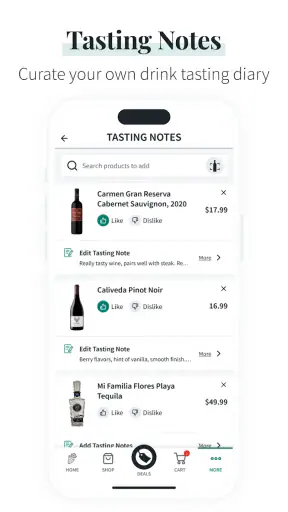
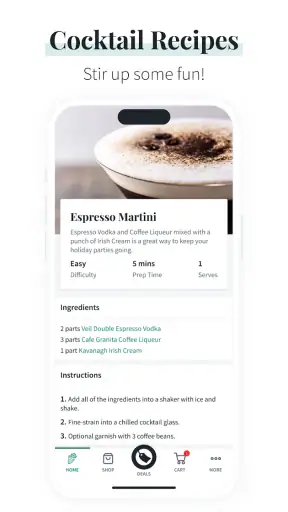
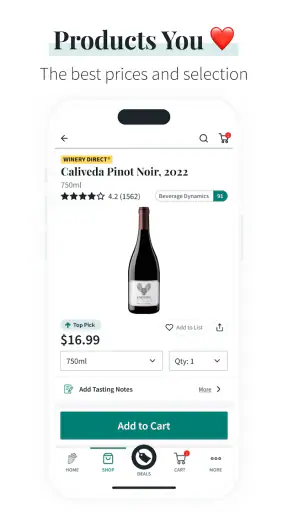
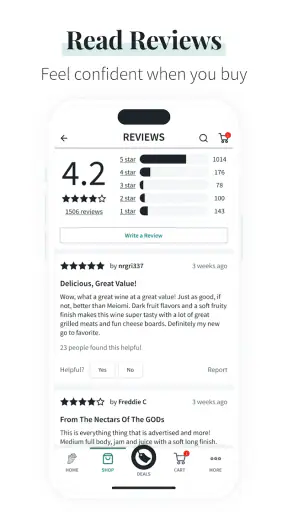
I found Total Wine & More most useful when I treated it as a shopping companion rather than a complete replacement for visiting a store. It is a free Food & Drink app from Total Wine & More, built around browsing a broad selection of wine, spirits, beer, and related products. The central idea is simple, but the practical value depends on how you search, how carefully you check product details, and whether your local store has what you want.
After spending time with it, my impression is positive but measured. The app can make a planned purchase much easier, especially when I already know the type of drink, brand, or occasion I am shopping for. It is less satisfying when I expect it to make every decision for me, instantly solve local availability questions, or remove the need to double-check the final details. That distinction matters more than the polished first impression.
Getting past the first points of friction
Why the opening experience can feel less straightforward than expected
The biggest early mistake is assuming that browsing and buying are exactly the same task. I can open the app with a vague idea such as “something for dinner” or “a bottle for a gift,” but a large catalog does not automatically turn that vague request into a confident choice. The more specific I am, the more useful the experience becomes.
I get better results when I begin with a clear shopping purpose: a grape variety, a spirit category, a beer style, a familiar producer, or a spending limit I have already decided for myself. If I start by scrolling without a plan, the range can become distracting. This is a practical limitation of a large retailer’s catalog, not necessarily a defect in the app. More choice is helpful only when I have a way to narrow it.
Another point where users may hesitate is the difference between seeing a product and knowing whether it is the right product for the immediate trip. A bottle can look suitable in a general catalog view, yet the important question is often whether it is available at the store I intend to use. I make that check early instead of building a whole shopping plan around an item and verifying the local situation at the end.
The app carries a Mature 17+ content rating, which is unsurprising for an alcohol retailer. I would not interpret that label as a sign that the interface is complicated, but it does reinforce that this is intended for adult shoppers. Anyone using it for a shared household purchase should also remember that the app is designed around alcoholic beverages and related shopping, not general grocery planning.
A sensible setup routine before searching deeply
My preferred setup is deliberately boring. I first make sure the phone is running a compatible operating system, then install the current app version, which is 10.6.1. The app supports Android 7.0 and later, so people using older hardware should check that basic requirement before spending time troubleshooting a failed installation or an outdated experience.
Once installed, I give the app a moment to load its catalog and avoid judging it during a temporary connection problem. A weak mobile signal can make a retail app appear unresponsive even when the service itself is working normally. Switching between a stable Wi-Fi connection and mobile data is a simple way to separate a network issue from an application issue.
I also recommend deciding which store matters before doing detailed comparison work. Local shopping context changes the usefulness of almost every result. If I am only researching styles or brands, I can browse more freely. If I need something for tonight, local availability becomes the first filter in my mind, not a final administrative step.
Keeping the app updated is worthwhile, but I would not expect an update alone to solve every problem. An update can address compatibility or loading trouble, while a missing product, delayed availability information, or a checkout interruption may have another cause. I treat updating as one check in a short process rather than a universal cure.
How I use the catalog without getting lost
The most efficient workflow begins with a narrow search and then expands only when necessary. For example, if I want a red wine for a casual meal, I might start with a style or grape instead of browsing every red bottle. If the results are too broad, I refine by producer or region. If they are too narrow, I loosen one choice at a time rather than abandoning the search.
This approach also helps with unfamiliar categories. When I do not know which bottle to choose, I use the app to create a shortlist rather than expecting a single perfect answer. I compare a few candidates, read the information presented for each one, and then consider whether the selection fits the occasion. That is more reliable than choosing the first attractive image or the first familiar word.
A useful habit is to separate research from purchase timing. I can explore options when I have time, then return later with a more focused decision. This is especially helpful for spirits, where packaging and brand recognition can make a product seem obvious even when I still need to think about how it will be used. The app works best when it supports that deliberate process.
Recovering when a search, page, or session behaves badly
When something fails to load, I start with the least disruptive fix: return to the previous screen, reopen the product or category, and try again on a stable connection. If the problem continues, I fully close and relaunch the app. This clears a temporary session problem without immediately deleting anything or making a larger change.
If search results look incomplete, I try a simpler term before assuming the catalog is empty. A brand name, category, or broad style can reveal whether the issue is an overly specific query. I also check spelling and avoid combining too many ideas in one search. Retail search tools are usually more dependable when I give them one clear concept at a time.
When an item disappears from a planned purchase, I do not immediately conclude that the app has lost it. Availability can change, the selected store can be different, or the product may have been shown in a browsing context that does not match the store I need. Rechecking the store context and searching again is more useful than repeatedly tapping the same unavailable result.
If the app freezes during a purchase-related step, I avoid pressing the same control over and over. Repeated taps can create uncertainty about whether an action was accepted. I pause, reopen the relevant screen, and verify the current state before trying once more. That small habit reduces the risk of duplicating an action or losing track of what has already been selected.
Separating app trouble from store and network trouble
Not every frustrating result is caused by the application. A retail catalog depends on information that can change outside the phone: store inventory, operating conditions, service availability, and the connection between the app and the retailer’s systems. If one product fails to appear while other pages work normally, I consider local availability or catalog status before blaming the installation.
The same reasoning applies to checkout or order progress. If the app opens normally but a later step stalls, I check the network first and then retry carefully. If the issue affects only one store or one product, that points me toward a local or inventory-related explanation. If every part of the app fails, a broader service or connection issue becomes more likely.
In-store use has its own trade-off. A phone can be convenient for comparing bottles while standing in an aisle, but poor reception, crowded networks, or a low battery can make that plan fragile. For an important purchase, I prefer to prepare a shortlist before leaving home and use the app in the store for confirmation rather than relying on it for every decision from scratch.
This is also where the app differs from a general search engine. A web search may be better for broad education, reviews, cocktail ideas, or learning the difference between categories. Total Wine & More is more directly useful when I already intend to shop through this retailer and want a focused route from product discovery to a store-related purchase decision.
Everyday situations where it earns a place on my phone
Imagine I am hosting a small dinner and need a wine that will suit several guests, but I do not want to spend an hour walking through shelves without a plan. I can use the app before leaving to compare a few styles, note the names I want to inspect, and reduce the chance of making a rushed choice. At the store, I have a practical starting point instead of an open-ended search.
It is also useful for a last-minute gift when I know the recipient prefers a particular spirit or beer category. The app can help me move from a broad idea to recognizable options without visiting multiple retailers. I still make the final judgment about presentation, suitability, and availability, but the research stage becomes less scattered.
For repeat purchases, the value is even clearer. Once I know the exact product or a small group of acceptable alternatives, I can use the app as a quick reference rather than re-learning the entire category. This is one of the less obvious strengths: the app becomes more efficient as I develop my own shortlist, even though it cannot replace personal taste.
Another good use is planning a mixed purchase. Instead of treating wine, beer, and spirits as separate shopping trips, I can organize the visit around the occasion and then check each category in one retailer’s environment. That convenience is particularly appealing when I value fewer stops more than finding the absolute lowest price at every individual store.
Who should use it, and who may prefer another option
I would recommend it to adults who already shop at Total Wine & More, want a broad selection in one place, and appreciate doing some research before arriving at a store. It is also a sensible choice for people who often buy the same products and want a faster way to revisit familiar options.
I would be more cautious about recommending it to someone who wants highly personalized education, independent tasting guidance, or a community-driven opinion on every bottle. A specialist wine app, a trusted local shop, or a general review service may be better for learning why one product suits a meal or palate. The retailer app is strongest as a shopping tool, not as a substitute for a sommelier or a long-form beverage reference.
It may also be the wrong choice for shoppers whose priority is comparing every retailer in an area. Because its natural focus is Total Wine & More, I would use a broader comparison method when price hunting across several stores is more important than convenience. The app’s advantage is concentration; its limitation is that concentration can narrow the comparison.
What the popularity and maintenance suggest
The app has passed one million installs and holds a 4.6 average from around twenty-two thousand ratings, with roughly 9,700 written reviews. Those figures suggest that it has found a substantial audience, but I would read them as evidence of broad usefulness rather than proof that every shopping trip will be smooth. Retail experiences vary with location, timing, connection quality, and the exact product being sought.
Its release history reaches back to January 8, 2018, so this is not a brand-new experiment. That maturity is reassuring for people who prefer an established shopping app, while the current version shows that it continues to receive maintenance. I still keep expectations realistic: an established app can be dependable without being perfect in every edge case.
My practical verdict after using it
The best way to use Total Wine & More is to prepare, narrow, and verify. I prepare a short shopping goal, narrow the catalog with specific terms, and verify the store context before treating a result as useful for an immediate purchase. That workflow avoids most of the frustration caused by browsing too broadly or assuming that a catalog result automatically answers a local availability question.
As a free app, it is easy to justify installing if Total Wine & More is already one of your regular retailers. It brings wine, spirits, beer, and related shopping into one focused place, and its large audience reflects that practical appeal. I especially like it for planned purchases, repeat buys, and occasions where I want to reduce wandering in the store.
My reservations are equally practical. The app cannot decide your taste, guarantee that every desired product will be available at the moment you need it, or replace broader market comparison. Network problems and store-specific conditions can also look like app failures. Once I accepted those limits, the experience became more predictable.
Overall, I would keep it on my phone if I regularly shop with Total Wine & More. It is not the only tool I would use for beverage research, but it is a convenient bridge between browsing and a focused store visit. For an adult shopper who values selection and wants to make better-prepared purchases, it is a worthwhile free download; for someone seeking independent education or all-market price comparison, another option may serve better.


